
Artificial intelligence is evolving from systems that simply generate responses into applications capable of using tools and taking actions across other systems.
This is one of the core ideas behind what is known as agentic AI.
Instead of limiting interactions to the classic “question and answer” format, an agent can identify a task, choose an available tool, and request its execution — always according to the permissions and rules defined by the application.
To make this type of integration more standardized, MCP (Model Context Protocol) emerged as an open protocol designed to connect AI applications to data sources, tools, and external systems.
And that is exactly where the Z-API MCP Server comes in.
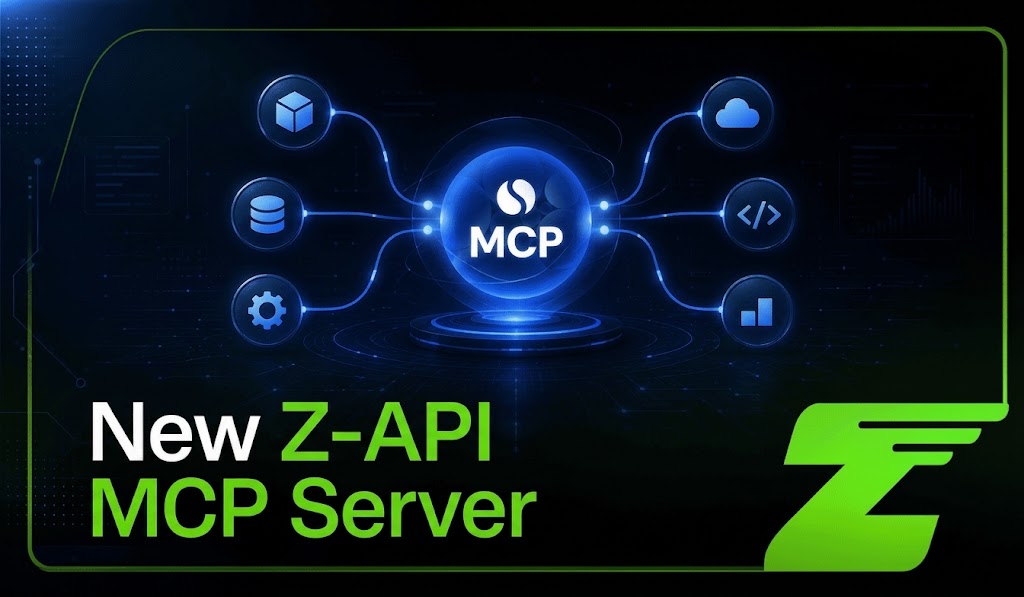
The feature turns WhatsApp operations into tools that can be used by MCP-compatible applications such as Claude, ChatGPT, and custom agents. Instead of integrating with and calling each REST endpoint directly, the AI application can inspect the tools exposed by the server and request the execution of the corresponding action.
In practice, this creates a bridge between natural language and execution.
A user can ask an AI application to send a message or create a group, for example. The AI identifies the appropriate tool, sends the required parameters to the MCP Server, and Z-API executes the action on the authorized instance.
In this guide, you will learn how the Z-API MCP Server works, which actions are currently available, and how to connect an AI application to your WhatsApp instance.
What is MCP and why does it matter for AI agents?
To understand the role of the Z-API MCP Server, we first need to understand the protocol that is making connections between AI applications and external systems more standardized.
The Model Context Protocol (MCP) is an open standard originally introduced by Anthropic to allow AI applications to connect in a structured way to data sources, tools, and other systems.
Instead of building a completely different integration for every new tool, MCP-compatible applications can use a common standard to discover which capabilities a server offers and how to access them.
The problem with custom integrations
Connecting AI to external systems did not begin with MCP. Before MCP, developers could already use APIs, function calling, and other integration methods to let a model query data or take actions.
The challenge appeared as these integrations grew.
A CRM has its own API. A financial system has another. A customer service platform uses different endpoints, formats, and authentication mechanisms.
Every new integration may require custom implementation to describe its functions, validate parameters, handle responses, and maintain that connection over time.
MCP aims to reduce this fragmentation by creating a standardized interface between AI applications and systems that expose external capabilities.
MCP as the “USB-C of AI applications”
An analogy used in MCP documentation itself is to think of the protocol as a USB-C port for AI applications.
USB-C does not define what each device does. It standardizes how the device connects. MCP follows a similar logic.
An MCP server can tell the application which tools it provides, what they do, and which parameters they require. The client can discover these tools through the protocol before using them.
Imagine that a server exposes a tool called send_message. It can describe:
- what the tool does;
- which parameters are required;
- what input format is expected;
- how the operation can be called.
The AI application then gains structured knowledge of that capability.
If the user requests a compatible action and the application is authorized to perform it, the model can select the corresponding tool and provide the parameters required for execution.
Why does this matter for agentic AI?
One of the most important characteristics of agentic systems is their ability to go beyond generating text and interact with external tools to move toward a goal.
This is where MCP becomes relevant.
The protocol can connect AI applications to Resources, which provide information and context, and to Tools, which allow operations to be executed in external systems.
This enables architectures such as:
User → AI agent → MCP tool → external system → result → agent
MCP, however, does not automatically make AI autonomous.
The level of autonomy depends on the application using the protocol, the model, the available tools, the permissions granted, and the security rules defined by the developer.
The specification itself emphasizes the need for controls and consent when tools are executed.
A more accurate way to think about MCP is: without tools, AI can tell you what to do; with connected tools, it can participate in the execution.
And that second part is exactly what matters for Z-API.
With the Z-API MCP Server, supported WhatsApp operations can be exposed as tools that an MCP-compatible AI application can discover and use.
You may also want to read: 15 MCP servers for developers, SaaS companies, and automation agencies in 2026.
How does the Model Context Protocol (MCP) work in practice?
Behind the experience of requesting an action in natural language is an architecture that connects the AI application to tools capable of carrying out that task.
In MCP, this communication follows a client-server model.
In simplified form:
User → AI application → MCP client → MCP server → tool
The Host is the AI application the user interacts with. Inside it, an MCP Client maintains the connection with each MCP server in use.
The MCP Server, in turn, exposes capabilities that the application can discover and use.
In the case of Z-API, the server exposes WhatsApp operations as ready-to-use tools for MCP-compatible applications.
Tool discovery
One of the most interesting aspects of MCP is that an application does not need to treat every tool as a completely unknown integration.
The server can expose a list of available tools through the protocol. Each Tool can include information such as:
name, which identifies the tool;description, explaining what it does;inputSchema, defining the parameters it accepts.
On the Z-API MCP Server, for example, one of the available tools is Send-text, which sends a text message to a WhatsApp number or group.
The AI application receives the definitions of the available tools and can expose them to the model during the conversation.
When the user requests a compatible action, the model can identify which tool satisfies the request and generate the parameters required to use it.
The cycle between intent and execution
Imagine the user says:
“Send a message to the ‘VIP Launch’ group saying the live session starts in 10 minutes and include the access link.”
In an application connected to the Z-API MCP Server, the flow might work like this:
1. The user makes the request
The application receives the request in natural language.
2. The model identifies the required action
Among the tools exposed by the MCP Server, the model identifies the ones suitable for finding the required information and sending the message.
Z-API currently provides, among others, Group-metadata, which retrieves group information, and Send-text, which sends text to a number or group.
3. The application requests tool execution
In the MCP protocol, a tool can be executed through tools/call, providing the Tool name and its corresponding arguments.
4. The MCP Server triggers Z-API
In the flow documented by Z-API, the server validates authorization and triggers the platform to execute the operation on the linked instance.
The connection is authorized through OAuth, and the AI application gains access to the selected instance without directly accessing the WhatsApp password or credentials.
5. The result returns to the application
After execution, the Tool result is returned through the protocol and can be incorporated back into the context used by the model.
6. The user receives the response
The application can then report the result:
“Message sent to the ‘VIP Launch’ group.”
What would previously have been only a natural-language response can now trigger a concrete action on an authorized WhatsApp instance.
You may also want to read: Official WhatsApp API vs. Z-API: differences, costs, and risks in 2026.
MCP vs. REST API: what is the difference?
The MCP Server does not replace the Z-API REST API. In fact, Z-API documentation itself defines MCP as a layer on top of Z-API.
The instance still exists and still needs to be connected normally for operations to be executed.
The main difference is how these capabilities are exposed to an AI application.
With the REST API, the developer works directly with endpoints, parameters, authentication, and responses and builds the logic that determines when each call should be made.
With MCP, those operations can be exposed in a standardized way as tools, with descriptions and schemas that a compatible application can discover and make available to the model.
This does not eliminate the need for business logic or make every automation autonomous.
The benefit lies in creating a standardized interface between the AI application and Z-API capabilities, making it easier to build experiences in which the model can select tools according to user intent.
For traditional and deterministic workflows, the REST API still makes sense.
For applications where AI needs to interpret a request and choose among different available actions, MCP creates a new way to expose these capabilities.
What is the Z-API MCP Server?
The Z-API MCP Server is a layer that exposes selected WhatsApp operations as ready-to-use tools for AI applications compatible with the Model Context Protocol.
Instead of requiring the application to build a direct call to each REST endpoint, it can inspect the tools exposed by the MCP server, identify which one matches the user request, and request its execution.
In practice, the flow looks like this:
AI application → Z-API MCP Server → authorized instance → WhatsApp
MCP does not replace Z-API infrastructure.
The instance still needs to exist and remain connected normally. The MCP server works as an additional layer that exposes selected actions to the AI application.
The bridge between intent and execution
This is where the MCP Server changes the AI integration experience.
Imagine a user says:
“Send João a message saying the meeting has been moved to 3 PM.”
An application connected to the MCP Server can identify that there is an appropriate text-sending tool, provide the required parameters, and request its execution.
The server validates authorization and triggers Z-API.
The message is sent through the number connected to the authorized instance, just as it would be through a traditional API request.
As a result, the developer does not need to manually translate every request into a REST call inside the conversation.
The supported operations are already presented to the application as MCP tools.
How does authorization work?
The connection between the AI application and the Z-API MCP Server uses OAuth.
During setup, the user signs in to their Z-API account and chooses which instance they want to authorize.
The AI application does not directly receive the WhatsApp password or credentials. Instead, it gains access to the authorized endpoints for the selected instance.
Access can also be revoked later through the connected applications section of the instance without disconnecting WhatsApp.
You may also want to read our guide on how to build an AI-powered WhatsApp chatbot with n8n + Z-API + ChatGPT.
Which tools are available on the Z-API MCP Server?
The Z-API MCP Server currently provides 9 tools divided between messaging and group management.
Messaging
Send-text
Sends a text message to a number or group.
Send-image
Sends an image by URL or Base64, with the option to include a caption.
Send-video
Sends a video by URL or Base64, also with an optional caption.
These tools allow an AI application to turn natural-language requests into communication actions on WhatsApp.
For example:
“Send this image of the new product to the launch group and add the caption ‘Now available’.”
If the application is properly authorized, the model can identify the appropriate tool and provide the parameters required for execution.
Group management
The MCP Server also exposes six group-specific tools:
Group-create
Creates a new group with the specified participants.
Group-add-participant
Adds participants to an existing group.
Group-remove-participant
Removes participants.
Group-add-admin
Promotes participants to administrators.
Group-remove-admin
Removes administrator permissions.
Group-metadata
Retrieves group information, including name, participants, and administrators.
These capabilities make it possible to build agents that assist with managing communities, customer groups, teams, or other workflows using the currently available features.
There is, however, an important point: these actions have real and immediate effects on WhatsApp.
That is why Z-API documentation recommends reviewing the actions the agent intends to perform before authorizing them, especially in automated workflows.
Will the MCP Server receive new tools?
The current list does not necessarily represent the final limit of the feature. Z-API states that new tools will be added as the MCP Server evolves.
For production implementations, the best approach is to consult the latest documentation and confirm which operations are available before designing the agent workflow.
What can you do with the Z-API MCP Server?
The value of MCP becomes more apparent when an AI application stops working with a single tool and begins orchestrating different capabilities to complete a task.
In the case of Z-API, the MCP Server currently provides tools for sending text messages, images, and videos, as well as creating and managing WhatsApp groups.
On their own, these tools already enable new workflows.
Combined with APIs, webhooks, and other MCP servers, they can become part of agents capable of executing more complete processes.
AI assistants that take action on WhatsApp
Imagine an AI application connected to a company’s internal systems and, at the same time, to the Z-API MCP Server.
The user could ask:
“Send a message to the sales team group saying that the results meeting will begin at 4 PM.”
The application interprets the request, identifies the available tools, and can use the Z-API MCP Server to execute the action on WhatsApp.
Today, the server includes tools for querying group metadata, sending messages, managing participants, and other operations.
In more advanced architectures, different MCP Servers can also work together.
An application can retrieve information from a corporate system through one tool and use the Z-API MCP Server to deliver the result through WhatsApp.
The protocol was designed precisely to allow an application to connect multiple servers and make their tools available to the model.
Sales automation and lead qualification
The MCP Server can also participate in AI SDR architectures, where AI assists with customer interactions and the routing of sales opportunities.
Imagine a flow where incoming WhatsApp messages enter the application through Z-API webhooks.
The AI interprets the conversation and uses CRM data to assess the lead stage. Z-API provides webhooks that notify external systems about interactions with the connected number.
When specific conditions are met, the agent can use MCP Server Tools to execute available actions on WhatsApp.
For example:
Qualified lead → agent identifies need for human assistance → creates a group → adds the consultant → sends a summary of the opportunity
Creating groups, adding participants, and sending text are among the capabilities currently documented for the Z-API MCP Server.
In this scenario, the benefit is not eliminating the salesperson, but reducing manual steps between qualification and human engagement.
Support that queries systems and then acts on WhatsApp
Another interesting scenario is technical support.
A traditional chatbot usually works mainly with predefined responses or information available in its knowledge base.
An agent equipped with multiple tools can go further.
Imagine a customer asks:
“Where is my order?”
The application can use a tool connected to the ERP or logistics system to check the order in real time.
After receiving the information, it can use the Z-API MCP Server to send the response through WhatsApp.
The flow could look like this:
Customer → agent → logistics system → result → Z-API MCP Server → WhatsApp
If the external system reports a delay, another tool could generate a benefit or update the order.
The Z-API MCP Server would then participate again in the communication stage, sending the customer information through the supported Tools.
In this way, Z-API becomes an action layer for WhatsApp within a broader architecture of agents and tools.
The most important point: Z-API does not need to do everything
That is one of the advantages of MCP architecture. A single server does not need to handle CRM, ERP, payments, logistics, documents, and WhatsApp all at once.
The AI application can connect to different MCP Servers and expose their capabilities to the model.
The current protocol supports discovering and aggregating these Tools so the application can use them during an interaction.
Within this ecosystem, the role of the Z-API MCP Server is clear: turn supported WhatsApp actions into tools that an AI application can use.
You may also want to know about: how to solve Meta’s new WhatsApp Business authentication flow.
Security and privacy in the age of agentic AI
Giving an AI system the ability to take action requires clear access controls, authorization, and supervision.
On the Z-API MCP Server, the connection between the AI application and an instance is established through OAuth.
During setup, the user authenticates their Z-API account and chooses which instance they want to authorize.
The connected application does not directly receive the WhatsApp password or credentials. Instead, it gains access to the authorized operations of that instance through the MCP Server.
This model allows companies to maintain control over which instances are connected to external applications and revoke access when necessary.
Managing connected applications
After an application is authorized, it can be viewed in the connected applications section of the instance.
From there, users can review information such as when the connection was created and when it was last used, and can revoke access without disconnecting the WhatsApp number.
This adds an important layer of control for companies that want to experiment with AI agents without making authorization permanent.
It is also important to remember that MCP tools can perform real actions on WhatsApp.
Creating a group, adding a participant, or sending a message are not simulations. These operations may have an immediate effect on the connected instance.
That is why, especially in automated workflows, it is recommended to implement supervision mechanisms and define which actions can run automatically and which should require human confirmation.
Security also depends on the agent architecture
The MCP Server is one part of a larger architecture.
When an application connects Z-API to CRMs, databases, ERPs, or other MCP servers, that application is also responsible for controlling permissions, execution logs, and business rules.
If a company requires detailed auditing of which tools were used, which parameters were sent, and which actions were authorized, this observability layer should be part of the agent design.
The more action capabilities the AI receives, the more important it becomes to apply the principle of least privilege: grant only the access required for that agent to perform its role.
How to configure the Z-API MCP Server
The Z-API MCP Server is designed to use a remote server, so developers do not need to install and maintain their own MCP infrastructure to access the tools exposed by Z-API.
Setup may vary depending on the AI application being used, but the general flow involves adding the server as an MCP connector, authenticating the Z-API account, and authorizing an instance.
Step 1: make sure your instance is connected
The MCP Server works as a layer on top of Z-API.
This means connecting an application to MCP does not automatically connect the phone number to WhatsApp.
Before using the tools, you need an active and properly connected instance.
Step 2: add the MCP Server to the AI application
In an application that supports remote MCP servers, add a new custom connector and provide the server address.
In the documented Claude flow, for example, this configuration can be completed through the application’s connectors section.
Step 3: authenticate your Z-API account
When the connection starts, the Z-API authorization flow opens.
Sign in and choose which instance you want to make available to that application.
Authorization uses OAuth, so you do not need to provide the application directly with the credentials used by WhatsApp.
Step 4: use the available tools
After authorization, the application gains access to the tools exposed by the Z-API MCP Server.
Nine Tools are currently available for messaging and group management.
From there, the model can identify tools compatible with the user request and request their execution according to the permissions and rules established by the application.
Step 5: revoke access when necessary
If an integration is no longer used, access can be removed from the connected applications section of the instance.
This lets you terminate application authorization without disconnecting WhatsApp.
See also how to automate WhatsApp customer service with an API, chatbot, and integrations.
What if I am developing my own AI agent?
The Z-API MCP Server is not limited to a single application.
Teams building their own agents or AI products can also connect Model Context Protocol-compatible clients to the Z-API server.
In this scenario, MCP works as a standardized interface between the AI application and the operations exposed by Z-API.
Instead of creating a custom integration that individually explains to the agent how to perform every action, the tools are presented in a format that MCP-compatible applications can discover and expose to the model.
This does not replace the product’s business logic.
The developer remains responsible for determining permissions, deciding when an action can occur, handling errors, creating security rules, and defining the agent’s level of autonomy.
MCP reduces integration fragmentation.
The intelligence and rules of the application remain the responsibility of the team building it.
Integration with other MCP Servers
One of the most interesting characteristics of MCP is the ability to combine tools from different systems inside the same AI application.
A single MCP Server does not need to provide every capability required to complete an entire process.
Imagine, for example, an application connected to project management tools, a corporate calendar, and the Z-API MCP Server.
The user could ask:
“Check this week’s critical tasks, find an available time tomorrow to discuss priorities, and notify the team group on WhatsApp.”
In this workflow, each tool would handle one part of the task.
The project management system would provide information about pending work. The calendar would provide available times.
And the Z-API MCP Server could execute the supported WhatsApp action. The AI application acts as the layer that interprets intent and coordinates the tools required to achieve the objective.
This composability is one of the reasons MCP has become relevant to agent architectures.
The role of Z-API in an agent architecture
The Z-API MCP Server does not need to be responsible for CRM, payments, logistics, calendars, or corporate data.
Its role can be much more specific:
turn supported WhatsApp operations into tools an AI application can use.
Imagine an e-commerce operation.
An agent can query order status in an external system, interpret the information received, and use Z-API to communicate the result to the customer.
In another scenario, a sales agent can use information provided by the CRM and, when an opportunity reaches a certain stage, create a group with a consultant and send an introduction message.
Each system remains responsible for its own domain, while Z-API becomes the action layer for WhatsApp.
Examples of Z-API MCP Server applications
Group management for launches and communities
An agency can combine its own campaign systems with MCP Server tools to automate selected actions in groups.
When a condition defined by the application is met, the agent can use the available tools to send a message, image, or video to the group.
It can also create groups, add or remove participants, change administrators, and query community metadata.
The goal is not to give AI unrestricted autonomy, but to allow specific operational tasks to be executed through tools within predefined rules.
Proactive communication in logistics operations
In a logistics SaaS, an agent could query delivery information from an external system.
If that system identifies a change in the estimated delivery date, AI can interpret the data and use a Z-API MCP Server tool to send an update to the customer.
In this workflow:
the logistics system provides the data → AI interprets the context → Z-API MCP Server executes the supported action on WhatsApp
This makes it possible to build experiences in which AI does not simply respond using static knowledge but instead uses up-to-date information and external tools to help resolve a request.
From response to action: the next step for AI on WhatsApp
The evolution of artificial intelligence does not depend only on models capable of producing better text. It also depends on tools that can transform intent into concrete action.
This is the layer where the Z-API MCP Server extends WhatsApp.
The server currently provides nine tools for actions such as sending text messages, images, and videos, as well as creating and managing groups.
These tools can be used by MCP-compatible applications and combined with capabilities from other systems to create more complete workflows.
The result is an architecture where each component has a clear role:
systems provide data and capabilities; AI interprets the request; and the Z-API MCP Server turns supported WhatsApp actions into tools the application can use.
This does not eliminate the need for controls, permissions, or supervision.
On the contrary, the more power an agent has to take action, the more important it becomes to define what it can execute, which data it can access, and when an action requires human confirmation.
The future of AI is not only about generating a response.
It is also about connecting that intelligence to the right tools to turn intent into execution.
Want to test this architecture on WhatsApp?
Access the Z-API MCP Server documentation, connect an instance, and explore the available tools.