
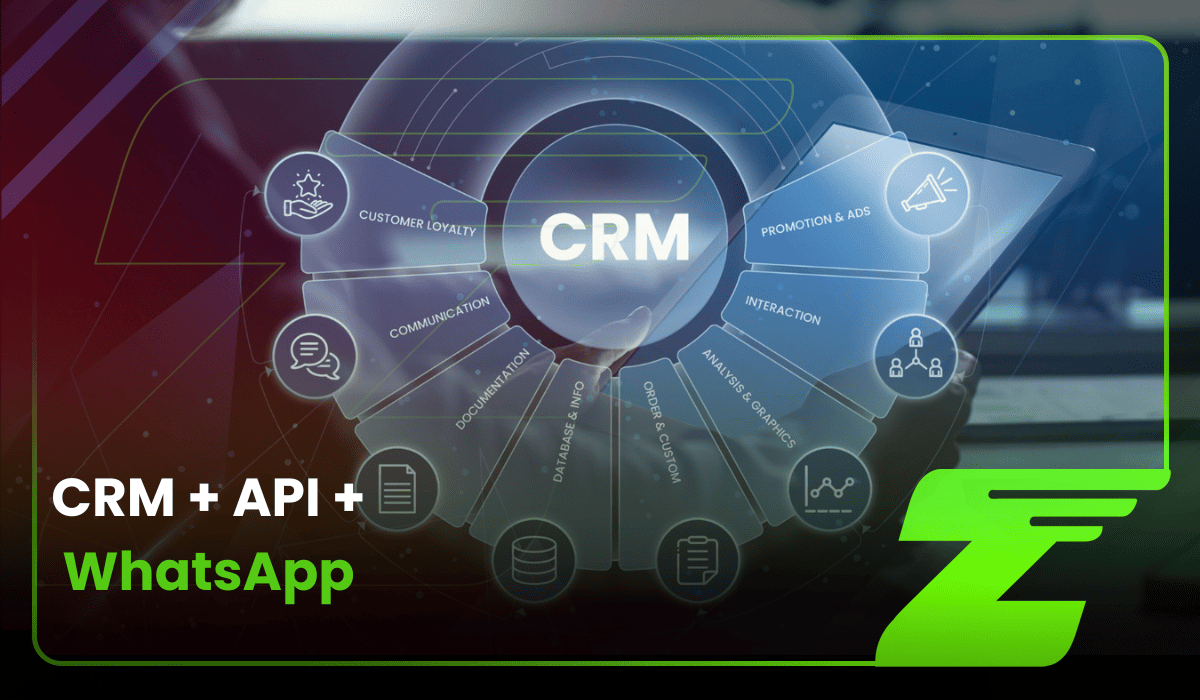
In the 2026 sales landscape, the question is no longer whether your company should use WhatsApp to sell. The more important question is: how do you organize this channel so you don’t lose opportunities, time, or revenue?
WhatsApp has become one of the main touchpoints between businesses and customers in many countries. But without CRM integration, the channel can quickly become a bottleneck: scattered information, forgotten leads, incomplete histories, and overloaded sales reps.
This is where integrate a WhatsApp API with your CRM can change the game.
More than simply connecting two tools, this integration combines the speed of instant communication with the intelligence of structured sales data. The result is a more organized operation, with faster responses, better lead follow-up, and greater predictability throughout the sales process.
In this guide, we’ll show how Z-API can act as the engine behind your CRM integration, turning WhatsApp into a programmable platform for sales, customer service, and automation.
Why integrate a WhatsApp API with your CRM?
Many companies still treat WhatsApp as a “communication island.” Sales reps talk to customers through the app, but information about the deal ends up scattered across personal devices, loose notes, manual spreadsheets, or, in many cases, only in the memory of the person handling the conversation.
That model may work when contact volume is low. But as the operation grows, it becomes a risk for sales, customer service, and management.
Integrating WhatsApp with a CRM solves this problem by connecting the channel where conversations happen with the system where customer relationships should be recorded, tracked, and developed.
Centralized customer history
Few things frustrate customers more than having to repeat their story every time they contact a company.
When WhatsApp is disconnected from the CRM, context is easily lost. A customer talks to a sales rep on Monday, contacts support on Wednesday, and often the next person handling the case has no idea what was agreed, promised, or discussed before.
With WhatsApp and CRM integration, every message sent and received can be automatically recorded in the customer profile. This creates a single timeline that brings together conversation history, interests, objections, proposals sent, and next steps.
So if a sales rep leaves the company, the conversation is transferred to another team, or management needs to review a deal, the full context remains available. Information stops depending on one person and becomes part of the company’s process.
More control over leads and opportunities
In a manual setup, sales managers have limited visibility into what is actually happening inside WhatsApp conversations.
They do not know exactly how many leads are open, how many are in negotiation, which proposals have been sent, which contacts need a follow-up, or which opportunities are close to closing.
In many cases, this visibility depends on spreadsheets updated manually by sales reps — and those updates do not always happen at the right time.
With integration, WhatsApp conversations start feeding structured data into the CRM.
Each contact can be associated with a specific stage of the sales funnel, such as “New lead,” “In progress,” “Proposal sent,” “Follow-up pending,” or “Closed”. This makes it possible to monitor the pipeline in real time, identify bottlenecks, and better understand the performance of the sales operation.
WhatsApp stops being just a conversation channel and becomes a strategic source of sales management data.
Fewer lost contacts and better lead utilization
When a lead reaches out through WhatsApp and does not get a quick response, conversion potential tends to drop. The problem is that, without integration, that contact can easily get lost among notifications, personal conversations, shift changes, or simultaneous customer interactions.
With a WhatsApp API integrated into the CRM, the process becomes more organized from the very first contact.
As soon as the lead sends a message, the CRM can automatically create or update the contact record, register the source of the lead, and notify the responsible team. Depending on how the operation is configured, it is also possible to assign the conversation to available sales reps, create automatic tasks, or trigger an initial response flow.
This reduces the risk of forgotten leads, avoids rework, and improves response speed.
With Z-API, for example, you can connect WhatsApp to your own systems and automate actions such as sending messages, capturing data, creating workflows, and integrating with sales tools.
More effective sales follow-up
Not every sale happens during the first interaction. Many deals depend on follow-up, reinforcement of value, and reaching out again at the right moment.
This is where WhatsApp and CRM integration becomes even more strategic.
The CRM can identify when a lead needs a follow-up, while the WhatsApp API can execute that contact automatically or semi-automatically.
For example: if a customer receives a proposal and does not respond within 48 hours, the CRM can detect that inactivity and trigger a follow-up message through WhatsApp.
This type of automation helps keep the relationship active without relying exclusively on the sales rep’s memory, since technology takes care of reminders, records, and repetitive stages of the process.
The result is a more predictable operation, with fewer forgotten contacts and more consistency in how each lead is managed.
You may also want to read about: How to build an AI-powered WhatsApp chatbot with n8n, Z-API and ChatGPT.
How does WhatsApp API and CRM integration work?
For WhatsApp and CRM integration to work well, it is important to understand how the systems “talk” to each other.
In practice, this connection happens through APIs and webhooks. The API allows one system to send commands to another, while webhooks automatically notify the system when an event occurs, such as a new message, a customer reply, or a file being sent.
In a sales operation, the flow usually works in both directions:
- from WhatsApp to the CRM, when the customer starts or replies to a conversation;
- from the CRM to WhatsApp, when the system triggers messages, notifications, follow-ups, or automated sends.
Here is how that works in practice:
Incoming messages and inbound triggers
Everything starts when a customer sends a WhatsApp message, replies to a campaign, or clicks an ad with a “Click to WhatsApp” button.
At that point, Z-API receives the message event and sends that information to the system configured by the company, which may be an internal server, middleware, or an integration platform such as Make, Zapier, Pluga, or a similar solution.
This happens through a webhook.
The webhook can carry relevant information such as phone number, contact name when available, message timestamp, and message content. From there, the integration layer can trigger the next step inside the CRM.
Contact identification and CRM lookup
Once the message reaches the integration layer, the system uses the phone number as the primary key to search the CRM.
The question is simple: does a contact with this number already exist?
From there, the operation can follow one of two paths.
If it is a new customer, the CRM automatically creates a new lead, fills in the available information, and records the source of the contact when that data is available.
For example: “WhatsApp,” “Summer Campaign,” “Paid Traffic Ad,” or “Product Page.”
If the customer already exists, the system finds the corresponding record and adds the new interaction to the history. This prevents duplicate records and keeps the conversation connected to the existing customer relationship.
Automatic conversation logging
With the integration active, messages exchanged through WhatsApp can be automatically recorded inside the CRM.
This may include text, files, images, documents, and other interaction types, depending on the technical structure of the integration and the rules defined by the company.
This record is important for three reasons:
- First: it preserves the customer’s sales history.
- Second: it makes it easier to manage service quality.
- Third: it allows the company to better monitor how conversations perform across the sales funnel.
With centralized data, management can analyze frequently asked questions, identify bottlenecks, review sales approaches, and understand where customers are most likely to move forward or drop out of the process.
In more mature operations, this data can also support analysis of service quality, productivity, and customer satisfaction.
Outbound triggers based on funnel stage
The integration also works in the opposite direction: from the CRM to WhatsApp.
This is one of the most strategic areas for sales teams because it makes it possible to turn changes in the sales funnel into automatic communication actions.
For example: when a sales rep moves a lead from “Qualification” to “Proposal sent,” the CRM can trigger a webhook to Z-API.
From there, the API sends a personalized WhatsApp message to the customer, together with the proposal PDF or a link to access it.
This flow eliminates repetitive manual tasks such as copying messages, opening WhatsApp Web, searching for the contact, attaching files, and confirming delivery. In addition to saving time, automation reduces operational errors and ensures greater consistency in the sales approach.
A practical example of the complete flow
Imagine a lead clicks on an ad and sends a message through WhatsApp.
- Z-API receives the event and forwards the data to the integration layer.
- The integration layer checks the CRM, identifies that the number is not yet in the database, and automatically creates a new lead.
- The CRM assigns the lead to an available sales rep and records the opportunity source.
- After the initial conversation, the sales rep moves the lead to the “Proposal sent” stage. That change triggers a new event.
- The CRM sends the information to Z-API, which delivers the proposal through WhatsApp with a personalized message.
If the customer does not respond after a defined period, the CRM can create a follow-up task or trigger a new automated message, depending on the company’s strategy.
This allows WhatsApp, CRM, and automation to work together as part of a more organized, trackable, and efficient operation.
A proven strategy for integrating WhatsApp with your CRM
Integrate a WhatsApp API with your CRM is not just about connecting tools. To generate real results, you need to design a clear process: which data will be recorded, which actions will be automated, when the sales rep should step in, and which metrics will be tracked.
Below is a practical framework for structuring this integration strategically.
Step 1: map where WhatsApp fits into your sales process
Before configuring any automation, identify where WhatsApp has the greatest impact in your sales process.
It can be used at different stages of the funnel:
- Top of funnel: capturing leads from ads, landing pages, social media, or “Click to WhatsApp” campaigns.
- Middle of funnel: qualifying leads through automated questions, chatbots, segmentation, and routing to the right sales rep.
- Bottom of funnel: sending proposals, negotiating pricing, sharing documents, contracts, and payment links.
- Post-sale: support, onboarding, customer satisfaction surveys, reminders, and customer relationship management.
The goal is to define where WhatsApp will be the main interaction channel and where it will support the broader sales process.
Step 2: define critical integration events
Once the stages are mapped, the next step is to define which actions should automatically trigger changes between WhatsApp and the CRM. These events are the triggers behind the integration. You need to answer two questions:
Which actions on WhatsApp should update the CRM?
For example: when a customer sends the word “receipt,” the CRM could move the opportunity to the “Payment under review” or “Payment completed” stage.
Which CRM actions should trigger WhatsApp messages?
For example: when a sales rep marks a meeting as “Completed,” the system can automatically send a message with a meeting summary, next steps, and expected follow-up timeline.
Defining these events prevents disconnected automations and ensures that every trigger has a clear purpose within the sales journey.
Step 3: create a standardized message library
Standardization is essential for maintaining consistency in communication and preventing every sales rep from handling the relationship in a completely different way.
Create a library of ready-to-use messages for the main stages of the customer journey, such as:
- welcome and introduction;
- interest confirmation;
- meeting or demo scheduling;
- proposal delivery;
- follow-up on stalled deals;
- payment due reminders;
- inactive lead reactivation;
- post-sale communication and satisfaction surveys.
These messages do not need to sound robotic. Ideally, create templates with customizable fields such as customer name, product of interest, deal stage, and sales rep.
With Z-API, these messages can be connected to CRM workflows to automate interactions, record data, and keep communication faster without losing context.
Step 4: implement follow-up automations
Many sales are not lost because the customer lacks interest, but because the follow-up does not happen at the right time. For that reason, follow-up should be one of the first automations configured in a WhatsApp and CRM integration.
For example:
If a lead stays in the “Proposal sent” stage for more than three days, the CRM can trigger an automated WhatsApp message:
“Hi, [Name]! Hope you’re doing well. I wanted to check whether you had a chance to review the proposal I sent over. Is there anything I can help clarify?”
This kind of automation keeps the funnel moving and reduces reliance on the sales rep’s memory. The sales team remains responsible for the negotiation, while technology helps ensure that no important contact is forgotten.
Step 5: monitor KPIs and improve the workflow
Once the integration is live, the work is not over. You need to monitor data to understand what is working and what needs improvement. Some important metrics include:
- average first-response time;
- response rate by message sent;
- conversion rate by funnel stage;
- number of leads handled through WhatsApp;
- number of stalled opportunities;
- sales rep performance;
- templates or messages with the highest response rates;
- most common loss reasons.
With this data, the company can improve copy, sending times, tone of voice, lead distribution rules, and automation workflows.
WhatsApp and CRM integration should be treated as a living process. The more the operation learns from its data, the more effective customer communication becomes.
Meta has announced changes: see the new WhatsApp pricing rules for 2026, what changes, and how to protect your operation.
Practical examples of CRM automations
Once the strategy is clear, it becomes easier to see how WhatsApp and CRM integration can work day to day. Below are some practical scenarios where automation can reduce manual work, speed up responses, and improve sales follow-up.
Scenario 1: high-intent lead from paid traffic
Imagine a potential customer clicks on a “Talk to a specialist” ad and starts a conversation on WhatsApp.
With the integration active, the incoming message triggers an automated flow: the CRM creates the lead, records the opportunity source, and assigns the conversation to an available sales rep.
The customer can then receive an initial personalized message:
“Hi, [Name]! I saw that you’re interested in [Product]. I’m [Sales Rep], and I’ll help you from here. To better understand what you need, can I ask you a few quick questions?”
This type of automation reduces the time between lead interest and the start of the conversation. The faster and more contextual the response, the better the chances of keeping the customer engaged.
Scenario 2: meeting reminders to reduce no-shows
Another common use case is automatically sending reminders for meetings, demos, or sales presentations.
When a sales rep schedules a meeting in the CRM, the system can schedule WhatsApp reminders at strategic times, such as 24 hours and 1 hour before the meeting. The message can be simple and direct:
“Hi, [Name]! Just a reminder about our meeting tomorrow at [Time]. Here’s the access link: [Link].”
And closer to the scheduled time:
“Hi, [Name]! Our meeting starts in 1 hour. See you here: [Link].”
This workflow helps reduce missed appointments, improves attendance rates, and removes the need for sales reps to send reminders manually to every lead.
Scenario 3: re-engaging stalled proposals
Not every customer responds immediately after receiving a proposal. In many cases, they are comparing options, aligning internally, or simply postponing the decision.
With WhatsApp and CRM integrated, you can create a follow-up sequence for stalled opportunities.
For example:
If a proposal remains inactive for five days, the CRM can trigger an automated WhatsApp message:
“Hi, [Name]! Hope you’re doing well. I wanted to check whether you had a chance to review the proposal I sent. Is there anything I can help clarify?”
If there is still no response, additional reminders can be scheduled for Day 10 and Day 15, using different messages and always respecting the context of the deal.
This creates more consistent follow-up and reduces the risk of losing valuable opportunities simply because no one remembered to reach out.
Scenario 4: post-sale and NPS collection
The integration can also be used after the sale.
When an opportunity is marked as “Closed/Won” in the CRM, the system can start a post-sale sequence through WhatsApp.
For example:
Seven days after the purchase, the customer receives a message such as:
“Hi, [Name]! How has your experience with [Product/Service] been so far? Your feedback is really important to us. Would you mind rating your experience here? [Link]”
This type of automation helps increase feedback collection, identify dissatisfied customers earlier, and strengthen the relationship after the purchase.
You can also create flows for onboarding, support materials, usage reminders, contract renewal, and customer reactivation.
Scenario 5: automatic lead distribution among sales reps
In high-volume operations, one of the biggest challenges is distributing leads quickly and fairly.
With WhatsApp and CRM integration, every new contact can be automatically routed to a sales rep based on criteria such as availability, region, product of interest, funnel stage, or round-robin rules.
As soon as the lead comes in, the CRM records the opportunity, assigns the owner, and can trigger an initial WhatsApp message.
This reduces response time, avoids manual competition over leads, and gives sales management more control over productivity, workload, and conversion rates by rep.
Read next: WhatsApp Account Banned? 6 practices that can put your account at risk.
Why choose Z-API for your CRM strategy?
For WhatsApp and CRM integration to work well at scale, the connection between the systems needs to be stable, flexible, and easy to operate.
After all, once WhatsApp becomes part of the sales process, any communication failure can directly affect customer service, lead follow-up, and opportunity records inside the CRM.
This is where Z-API stands out as a practical solution for companies, developers, agencies, and technology teams that need to turn WhatsApp into a channel connected to their systems.
Flexibility to connect WhatsApp to your CRM
Z-API allows businesses to connect WhatsApp numbers to their systems and use API endpoints to automate actions such as sending messages, capturing data, creating groups, sending files, and monitoring events.
In practice, this makes it possible to integrate WhatsApp with CRMs such as HubSpot, Pipedrive, Salesforce, Zoho, or custom-built systems, depending on the company’s technical architecture.
Using webhooks, the CRM can be notified when a new message arrives, a customer replies, or an important event occurs on the connected account. This means the conversation no longer stays isolated inside WhatsApp and instead becomes part of the company’s sales workflow.
Faster automation implementation
One of the advantages of Z-API is that it offers a more flexible structure for teams that need to build custom WhatsApp solutions.
This is especially important for companies that do not want to depend on long processes, rigid rules, or overly bureaucratic workflows before they can start automating communication.
With the API and webhooks configured correctly, a technical team or automation agency can build workflows such as:
- automatic lead creation in the CRM;
- logging incoming messages;
- sending WhatsApp follow-ups;
- distributing contacts among sales reps;
- notifying teams about stalled opportunities;
- sending proposals, links, and documents.
This model helps reduce manual work and speeds up the connection between customer service, sales, and commercial data.
Predictable per-instance costs
In sales operations with high conversation volumes, cost predictability is an important factor.
Z-API’s model is based on instances. In practice, each instance represents a connected WhatsApp number that can be used for communication and integrations within the company’s strategy.
This format makes planning easier for companies that need to scale customer service, use multiple numbers across teams, or build operations for different departments such as sales, support, finance, and post-sale.
Before implementation, it is important to assess how many instances will be needed, what message volume will be processed, and how each number will be used inside the CRM.
Support for technical and sales operations
Integrating WhatsApp and CRM involves more than sending automated messages. You need to configure webhooks, process events, organize data, define business rules, and make sure the right information reaches the right system.
That is why having a solution designed for this type of operation makes a difference.
Z-API serves technology companies, SaaS businesses, CRMs, customer service operations, e-commerce companies, automation agencies, chatbot projects, and conversational marketing initiatives. In other words, it is designed for companies that build workflows and systems on top of WhatsApp.
The future of integration: AI and sales intelligence
WhatsApp and CRM integration also creates room for a more advanced layer of sales intelligence.
By centralizing conversations, history, responses, and events inside the CRM, the company creates a richer data foundation for automation, analytics, and artificial intelligence.
With the right structure in place, it becomes possible to evolve toward use cases such as:
- Sentiment analysis: identifying messages that show signs of dissatisfaction, urgency, or high purchase intent.
- Reply suggestions: supporting sales reps with recommended responses based on conversation history and customer profile.
- Audio transcription: converting voice messages into text to simplify CRM logging and conversation analysis.
- Automatic conversation summaries: generating summaries so sales reps, managers, and support teams can quickly understand each customer’s context.
- Automated qualification: filling CRM fields based on responses provided by the customer through WhatsApp.
In this model, WhatsApp is the customer touchpoint, the CRM is the intelligence hub, and the API is the bridge that allows everything to work together.
WhatsApp is the front line, the CRM is the brain
Integrate a WhatsApp API with your CRM is no longer just an operational improvement. For companies that sell, support, and build relationships through WhatsApp, this integration has become an essential part of a more organized, trackable, and scalable sales operation.
By combining the speed of instant messaging with the intelligence of structured data management, your company creates a better customer experience and a more productive sales process.
Z-API provides the infrastructure needed to connect WhatsApp to your business systems, automate interactions, and turn conversations into useful data for decision-making.
With the right strategy, every new “hi” on WhatsApp can stop being just another isolated message and become a registered, tracked, and actively managed opportunity inside your CRM.