

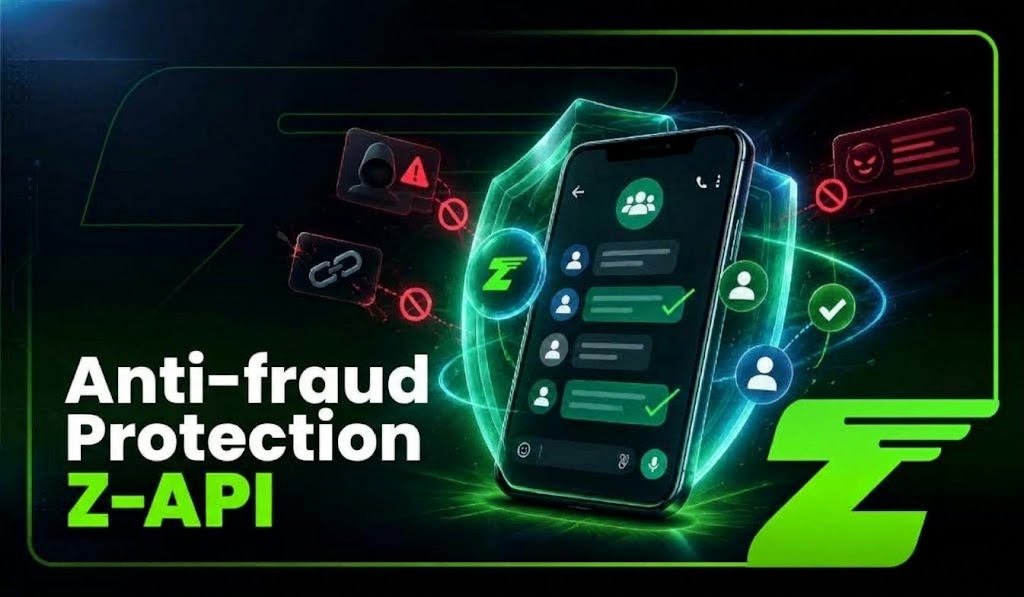
Announcement groups have become a practical way for companies, communities, schools, associations, and service administrators to share information with large audiences. The problem is that the greater the reach of a group, the greater the impact of a malicious message can be.
A participant may try to impersonate the company, share fake links, request unauthorized payments, or persuade other members to disclose sensitive information.
In groups with many members, a fraudulent message can quickly be seen by dozens or hundreds of people before an administrator has time to react.
To help reduce this risk, Z-API has launched Anti-Scam Protection for Announcement Groups.
The feature identifies messages with characteristics of a scam attempt, automatically removes the content when it is sent by participants who are not administrators, and sends an event to the incoming-message webhook.
With this event, the application can log the incident, notify responsible teams, create internal alerts, or trigger additional actions according to the operation’s rules.
It is important to emphasize that the feature works as an additional security layer within the communication flow. It does not replace human moderation, internal policies, or administrator precautions, but it can reduce reaction time when suspicious content appears and help keep announcement groups more trustworthy.
What is anti-fraud protection for WhatsApp groups?
Anti-Scam Protection is a Z-API instance setting designed to increase security in community announcement groups, where message publishing is usually restricted to administrators.
When the feature is enabled, Z-API analyzes messages sent by participants who do not have administrator permissions.
If a message is identified as a scam attempt, the content is removed from the group and an event is sent to the incoming-message webhook.
This event allows the company to connect the protection layer to its own operation.
Instead of relying only on manual action, the system can log the incident, alert the responsible teams, create an internal task, or execute a specific moderation rule.
The responsibilities are divided like this:
| Action | Responsible component |
|---|---|
| Identify suspicious message | Z-API protection |
| Remove message from the group | Z-API protection |
| Send incident event | Incoming-message webhook |
| Log incident history | Company system |
| Alert administrators | Workflow or backend |
| Remove participant from group | Application, according to defined policy |
This architecture keeps operational control with the company. Z-API handles the detection and removal of the identified message, while any decisions that follow continue to be governed by the administrator’s rules.
What problem does the feature solve?
In groups with many participants, reaction time is one of the main security challenges.
A fraudulent message posted by a participant can quickly reach many people before an administrator notices the issue.
Even if the message is removed later, some users may already have seen it, clicked a link, or taken action based on that information.
The protection layer reduces this gap by automating the first response:
it identifies the suspicious message, removes the content, and notifies the system responsible for the operation.
Imagine a group used by a company to publish service announcements.
A participant posts:
“Attention: your account will be blocked. Make a payment using the link below to restore access.”
If the message is identified as a scam attempt and the author is not an administrator, the content can be removed.
The webhook receives the incident associated with the ANNOUNCEMENT_GUARD feature, allowing the company to decide what happens next.
From this event, the application can:
- log the date, group, message, and author;
- notify administrators or responsible teams;
- check the participant’s history;
- apply a moderation rule, such as removing them from the group;
- send an official announcement if participants need further guidance.
How does the protection flow work?
The operation follows a simple sequence:
| Participant sends a message ↓ Anti-fraud protection analyzes the content ↓ Suspicious message is removed ↓ Webhook notifies the application ↓ System logs the incident and executes defined actions |
The feature works under specific conditions.
The instance must be connected, have administrator permission in the group, and the environment must be a community announcement group compatible with the feature.
Messages sent by administrators are not affected by the protection because those users have legitimate permission to publish content in the group.
Each incident generates its own event.
So if a participant posts several suspicious messages, the application receives individual records for each action.
This makes it possible to build more complete policies.
A first incident may only generate an alert. Repeated incidents may automatically trigger participant removal or a more detailed review.
The protection layer works as a preventive mechanism, but the outcome depends on how the company integrates the event into the rest of its operation.
You may also want to explore our Proxy API feature and learn how to gain more network control for WhatsApp operations at scale.
Which groups support anti-fraud protection?
Anti-Scam Protection was designed for a specific scenario:
community announcement groups in which only administrators are allowed to publish messages.
It does not work as a general-purpose filter for every WhatsApp conversation.
This limitation is important because, in regular groups, participants may legitimately be allowed to send messages.
Automatically removing content in those environments could interfere with normal conversations.
| Environment | Does anti-fraud protection apply? |
|---|---|
| Community announcement group | Yes, when the instance is an administrator |
| Regular group | No |
| One-to-one conversation | No |
| Group where the instance is not an administrator | Does not work as expected |
| Message sent by an administrator | Not affected |
Before enabling the feature, confirm that the group configuration is appropriate and that the Z-API instance has the permissions required to act as an administrator.
How do you enable the protection?
The protection is disabled by default and can be enabled per instance.
In the Z-API dashboard, the company should open the security settings for announcement groups, find the “Anti-scam protection for announcement groups” option, and enable the feature.
For operations with multiple instances or automated processes, activation can also be performed through the API.
Before enabling it, confirm that:
- the instance is connected;
- the account has administrator permission in the group;
- the group is compatible with the feature;
- internal workflows are ready to receive the events.
Enabling the protection is only the first step. Its operational value appears when the event generated by Z-API is connected to the company’s processes.
How do you enable it through the API?
The feature can be enabled or disabled through the endpoint:
PUT /instances/{instanceId}/token/{token}/update-announcement-guardThe request uses Client-Token in the header and receives a boolean value in the body.
To enable it:
| curl –request PUT \ –url https://api.z-api.io/instances/{instanceId}/token/{token}/update-announcement-guard \ –header ‘Client-Token: <api-key>’ \ –header ‘Content-Type: application/json’ \ –data ‘{ “value”: true }’ |
To disable it:
| curl –request PUT \ –url https://api.z-api.io/instances/{instanceId}/token/{token}/update-announcement-guard \ –header ‘Client-Token: <api-key>’ \ –header ‘Content-Type: application/json’ \ –data ‘{ “value”: false }’ |
The configuration status can also be checked through the /me endpoint.This validation is useful in multi-instance environments because it helps avoid assuming an operation is protected when the feature has not yet been enabled.
How should you interpret webhook events?
When a message is removed by the protection layer, Z-API sends an event through the incoming-message webhook using the revoked-message notification.
The notificationParameters field allows the application to identify whether the action was related to anti-fraud protection:
| Value | Meaning |
|---|---|
["ANNOUNCEMENT_GUARD"] | Message successfully removed by the protection layer |
["ANNOUNCEMENT_GUARD_FAILED", "REASON"] | Message removal attempt was unsuccessful |
This allows the company to distinguish a regular deletion from an action performed by the anti-fraud layer.
In addition to identifying the protection event, the payload may contain information such as:
- the group where the incident occurred;
- message identifier;
- participant phone number or LID;
- available author name;
- indication that the action was performed by the platform.
Exact field names should be validated according to the version in use and the examples returned by the instance itself.
The main point is that the company does not receive only a success or error notification. It receives contextual information that can feed a security workflow.
What should happen after a message is removed?
Removing the message stops the immediate exposure of the content, but there is still an operational decision to make:
what should happen to the participant responsible? A response policy may follow this flow:
| Protection event received ↓ Log group, author, and message ↓ Check whether removal was successful ↓ Alert responsible teams when necessary ↓ Apply moderation rule ↓ Update incident history |
Z-API does not automatically remove the participant. That decision remains the responsibility of the application. This separation supports different strategies.
A company may automatically remove a participant after a severe incident, require administrator approval, or simply record the behavior for later review.
In critical operations, human review can be important to avoid taking incorrect action against legitimate participants.
How can you create automated alerts?
The webhook can feed workflows in n8n, Make, Zapier, or custom applications. An internal alert can be sent to security, support, or administrators containing:
- group name and identifier;
- incident time;
- removal status;
- participant identification;
- event type;
- recommended action.
Avoid sharing the full message content with people who do not need access to that information.
The goal of the alert is to enable a fast response while following the principle of minimal data exposure.
Example webhook handler
The logic below represents a simple implementation for identifying protection events:
| app.post(‘/webhooks/zapi’, async (req, res) => { const event = req.body; const params = event.notificationParameters || []; const isGuardEvent = params[0] === ‘ANNOUNCEMENT_GUARD’ || params[0] === ‘ANNOUNCEMENT_GUARD_FAILED’; if (!isGuardEvent) { return res.sendStatus(200); } const removed = params[0] === ‘ANNOUNCEMENT_GUARD’; await securityLog.create({ groupId: event.groupId, groupName: event.groupName, messageId: event.messageId, participantPhone: event.participantPhone, participantLid: event.participantLid, removed, reason: params[1] || null, receivedAt: new Date() }); if (!removed) { await notifyAdmins( ‘Failed to remove suspicious message’, event ); } res.sendStatus(200); }); |
This flow logs the incident and makes it possible to trigger an automatic response when removal does not succeed.The decision to remove participants or apply other measures should follow the company’s own rules.
Anti-fraud protection becomes more valuable when it stops being just a security feature and becomes part of a monitored operation with incident history, alerts, and clearly defined processes.
Automatic protection does not replace moderation
Anti-Scam Protection should be treated as an additional security layer, not as a replacement for community management.
Even with automatic removal of suspicious messages, the company is still responsible for defining group rules, maintaining trusted administrators, educating participants, and creating incident-handling processes.
It is also important to remember that the protection only applies within the environment where it is configured.
It does not prevent fraud attempts through other channels, such as private conversations, fake profiles, or links shared outside the group.
Security should therefore combine technology and communication.
If a suspicious message is removed, an administrator may publish an official notice:
“A suspicious message was removed from this group. Our company never requests payments, passwords, or codes through links sent by participants. If you are unsure about any request, confirm it through our official channels.”
The goal is to restore participant confidence and reinforce which communication channels are legitimate.
You may also want to learn about the new Z-API MCP Server and how to connect agentic AI to your company’s WhatsApp operation.
4 benefits for companies using announcement groups
Here are some of the benefits our new feature can offer your company:
1. Reduced exposure time
Automation makes it possible to act at the first stage of an incident.
Instead of depending only on manual review, the company adds a layer that identifies and removes suspicious content before it remains visible for too long.
2. Incident logging and analysis
Each webhook event can feed a security history. The company can record affected groups, participants involved, incident frequency, and actions taken.
This data can help identify patterns and improve moderation policies.
3. Flexible decision-making
The feature does not automatically remove the responsible participant. This separation allows the company to apply its own rules based on context, history, and severity.
A single incident may only require a record. Repeated attempts may justify stricter action.
4. Integration with internal processes
Protection events can be connected to the same workflows used for monitoring, customer service, and operations.
This allows the team to receive alerts, create tasks, and track incidents without relying on constant manual monitoring.
Important limitations
Before using the feature, several conditions need to be considered:
- the protection must be manually enabled through the dashboard or API;
- the instance must be connected and have administrator permission in the group;
- the feature works in community announcement groups, not in every WhatsApp conversation;
- messages sent by administrators are not affected;
- each message is analyzed individually;
- failure events (
ANNOUNCEMENT_GUARD_FAILED) need to be treated as alerts because removal may not have been completed.
These limitations reinforce that the protection layer should be part of a broader security strategy involving monitoring, access control, and defined procedures.
Implementation checklist
Before putting the protection into production, confirm that:
- The correct instance is connected to the announcement group.
- The account has administrator permission.
- The feature has been enabled through the dashboard or API.
- The HTTPS webhook is configured to receive events.
- Success and failure events have been tested.
- A policy exists for suspicious participants.
- Administrators receive alerts when necessary.
- Logs have controlled access and retention policies.
After the initial setup, run a controlled test. Confirm that administrator messages remain untouched, events arrive correctly, and the workflow avoids duplicate actions.
Discover the new Z-API feature and add more security to your automations
Anti-fraud Protection for WhatsApp Groups adds an additional security layer for companies and communities that use WhatsApp as a large-scale communication channel.
With Z-API, messages identified as scam attempts can be removed automatically, while an event is sent so the application can log the incident, alert responsible teams, and execute the company’s defined next steps.
The feature does not eliminate the need for moderation, internal policies, or security practices.
Its main value lies in reducing response time, increasing incident traceability, and integrating protection with existing processes.
By combining automation, monitoring, and community-management best practices, companies can use announcement groups with greater confidence and control.
Read the documentation for our new feature and try Z-API free for two days to see how it fits your operation.
Click the banner below and create your account now.