
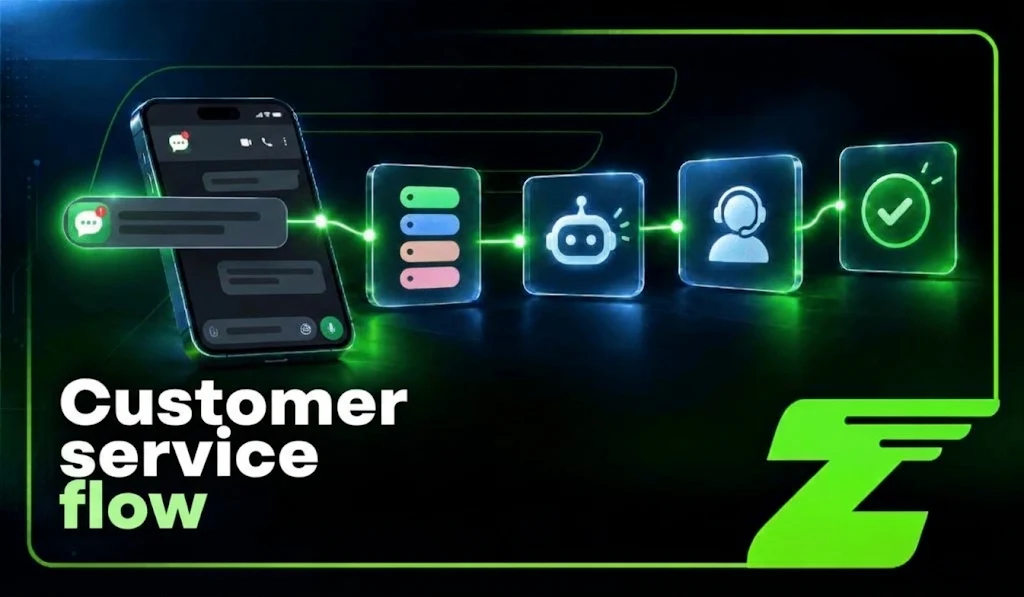
Replying to messages is simple when a company receives only a small number of contacts. But as volume increases, the challenge is no longer just responding quickly, it becomes organizing the entire customer journey.
Who handles the conversation? What is the priority? Which information needs to be checked? When should automation take over? At what point should a person step in?
Without a defined flow, the operation starts to accumulate problems: customers waiting for responses, conversations with no owner, repeated information, lost opportunities, and inconsistent service for similar situations.
A customer service flow organizes these decisions. It defines the path of the conversation from the first message to resolution, including contact identification, request classification, information retrieval, response, routing, logging, and follow-up.
With Z-API, companies can connect messaging application to CRMs, ERPs, calendars, e-commerce platforms, automation tools, and custom systems. APIs and webhooks make it possible to integrate conversations with internal processes, turning digital communication into part of the operation rather than just an inbox.
What is a customer service flow?
A customer service flow is the combination of steps, rules, owners, and systems that guide a customer conversation.
It should not be confused with a simple automated menu. A menu may be an initial step, but a complete flow needs to define what happens after the user makes a choice.
A flow may include:
- customer identification;
- understanding the request;
- checking internal information;
- automated response;
- routing to a team;
- post-service follow-up;
- recording the outcome.
A basic structure can look like this:
| Incoming message ↓ Contact identification ↓ Understanding the request ↓ Decision: automate or route ↓ Service and resolution ↓ Logging and follow-up |
Automation should handle predictable tasks such as lookups, confirmations, and frequently asked questions.
Situations involving negotiation, complaints, exceptions, or decisions should have a clear route to human support.
An efficient flow does not replace people. Instead, it organizes the work so each interaction reaches the most appropriate resource.
You may also want to read our practical guide on how to build an AI agent in 2026.
10 stages of an efficient customer service flow
An efficient customer service flow is not simply a sequence of automated notifications. It is a decision structure that defines how each contact will be received, understood, routed, and resolved.
The journey changes according to the customer’s need. Someone who wants to track an order should not follow the same path as someone who wants to buy, request support, or submit a complaint.
That is why a well-designed flow combines three elements:
- Information: understand who the customer is, where they came from, and what they need;
- Process: define rules, owners, and next steps;
- Technology: connect messaging app to the systems that support the operation.
The goal is not to automate every conversation. It is to create an operation in which each interaction follows the most appropriate path, with less rework and more context for both customers and teams.
Here are the main stages of an effective customer service flow:
1. Conversation entry point
Every journey begins with an incoming message.
It may come from different sources: an inbound conversation, a website link, a QR Code, an ad, a app channel, an order notification, or a commercial campaign.
The source of the conversation is strategic information.
A contact who arrived through a support page will probably expect a different experience from someone who responded to a product campaign.
Whenever possible, record the source.
This information helps identify which channels generate more qualified contacts and which parts of the journey need improvement.
2. Contact identification
The system should match the phone number with an existing record in the CRM or another company system.
When there is existing history, the operation can retrieve useful information such as the customer’s name, previous orders, sales stage, open tickets, latest interaction, or recorded preferences.
This identification should improve the service experience, not expose unnecessary information.
Use only data that is appropriate for the purpose of the conversation and consistent with the company’s privacy policies.
3. Greeting and expectation setting
The first response should confirm receipt, introduce the company, and explain the next step.
If the contact happens outside business hours, tell the customer when they can expect a response.
Example:
“Hi, Ana. You’ve reached Loja Norte customer service. I’ll identify your request and route it to the appropriate team. Our service hours are Monday through Friday, from 8 a.m. to 6 p.m.”
When automation or artificial intelligence is involved, the experience should remain clear.
Customers should not get stuck in an automated step without knowing which options they have to continue the conversation.
4. Initial triage
Triage turns an open-ended message into an initial operational decision.
It helps determine the reason for the contact and route the conversation to the right path.
This can be done with menus, buttons, lists, keywords, forms, or open-ended questions.
Example:
“How can we help? Choose an option: 1. Buy 2. Track an order 3. Support 4. Billing 5. Talk to an agent.”
Good triage should make the choice easier, not create a barrier. Overly long menus increase customer effort and may lead to abandonment.
5. Intent identification
After the initial triage, the flow needs to identify the customer’s actual need.
The message may represent different situations: new lead, duplicate invoice request, delayed order, exchange, appointment, cancellation, complaint, or technical question.
This classification can be performed using rules or artificial intelligence.
In both cases, there should be an alternative for low-confidence situations.
If the system does not understand the request, it should not repeat the same path indefinitely.
The right approach is to ask another question, offer options, or route the conversation to a person.
6. Querying company systems
After understanding the request, the flow should consult the official source of information.
To check an order, query the e-commerce platform or OMS.
To schedule an appointment, check the calendar.
To confirm a charge, consult the financial system.
Messaging app should function as an interaction channel, not as the operation’s primary database.
The conversation carries the customer’s request, but confirmation of the current status should come from the system responsible for that information.
7. Response or request routing
Once the necessary information is available, the flow determines the next path:
- resolve automatically;
- create an internal task;
- update a system;
- route to the responsible team.
Distribution can consider department, product, region, language, time, priority, or team capacity.
A sales question, billing request, and technical issue may all arrive through the same number, but they need different paths.
8. Transfer to human support
Not every conversation should be automated.
Complex cases, negotiations, complaints, specific requests, or direct requests from the customer should have a clear route to a person.
The ideal handoff does not restart the conversation.
The agent should receive enough context to continue the interaction without asking the customer to repeat all the information.
This context may include:
- customer name;
- contact source;
- reason for the conversation;
- recent history;
- related order, contract, or ticket;
- actions already performed by the system.
Example:
“I’ll forward your request to our billing team. The agent will receive the context from this conversation, so you won’t need to repeat the information.”
During the transfer, automations should be paused to avoid simultaneous responses.
9. Resolution and closure
A conversation should not be closed simply because a message was sent.
Customer service ends when the request has been resolved or when there is a clearly defined next action.
A good closing message confirms the result and tells the customer how to continue if they need more help.
Example:
“The duplicate invoice was sent to your email and is due on October 20. Can I help you with anything else? If you need to continue later, just reply here.”
10. Logging and follow-up
Customer service does not end with the last message.
The company needs to record the outcome to monitor performance indicators and improve future interactions.
The CRM or customer service system should store information such as:
- identified intent;
- person responsible for the interaction;
- result;
- agreed deadline;
- next action;
- reason for closing.
Follow-up should happen based on conditions, not through a fixed sequence of messages.
- A lead who asked to be contacted tomorrow should generate a task for tomorrow.
- A customer waiting for delivery should receive an update when the status changes.
- A pending ticket should follow the deadline defined by the operation.
An efficient flow transforms conversations into organized processes, allowing the company to respond better, reduce rework, and deliver a consistent experience across interactions.
Want to learn how to choose an REST API for communication with AI in 2026? Read our complete guide on the blog.
How does Z-API fit into the flow?
Z-API works as a communication layer between messaging app and the systems that manage the company’s operation.
Through webhooks and sending endpoints, the platform allows conversation events to be received, processed, and connected to tools such as CRM, ERP, calendars, e-commerce platforms, or custom applications.
Z-API documentation describes different event types:
- Receive: triggered when a message is received by the number;
- Delivery: reports changes related to message delivery;
- Status: tracks events such as receipt, reading, reply, or deletion;
- Disconnected: indicates that the connection is unavailable.
A common architecture may look like this:
| Messaging App ↓ Z-API ↓ Incoming-message webhook ↓ n8n, Make, Zapier, or custom backend ↓ CRM, ERP, calendar, or e-commerce ↓ Rules, AI, or human support ↓ Z-API ↓ Response to the customer |
The sending flow can also be monitored by the operation.
The message goes through API processing, receives an identifier, and can generate events related to delivery progress.
This makes it possible to create logs, identify failures, and monitor the complete communication journey.
In practice, Z-API can participate in different scenarios: lead creation, sales opportunity updates, order confirmations, notifications, cart recovery, support, and internal automation.
The main point is to understand the role of each layer:
The messaging app is the contact channel, Z-API connects that channel to the systems, and business logic defines which action should happen in each situation.
Example of triage using a webhook
One of the first applications of a customer service flow is turning incoming messages into operational decisions.
The webhook receives the event, identifies the contact, and sends the request to the appropriate queue:
app.post('/webhooks/whatsapp', async (req, res) => { |
The example represents only the routing logic.In a real application, the payload should be validated according to the event being used, with error handling, authentication, logging, and protection against duplicate messages.
Classification can also evolve beyond keywords.
Companies can use rules, databases, or artificial intelligence to identify intent and context.
Example of order support
An order-tracking journey may begin with a simple question:
“I want to know where order 4582 is.”
The flow can follow this sequence:
| Customer sends the message ↓ Webhook receives the event ↓ System identifies the order ↓ OMS checks the latest status ↓ Z-API sends the response ↓ CRM logs the interaction |
A possible response:
“Order #4582 has been shipped and is currently in transit. The estimated delivery date is October 18. Track it here: [link]. If you need help, reply DELAY to speak with our team.”
The main rule is not to replace real data with assumptions.
If the order system is unavailable, the automation should communicate the limitation, log the request, and create a support route.
Example of a sales flow:
A sales operation can use messaging app to turn interest into a qualified opportunity.
The first interaction can identify the need:
“I can help you find the best solution. Is your company looking for: 1. Customer service 2. Sales 3. Notifications 4. System integration?”
Based on the response, the flow can update the CRM, record the contact source, and collect only the information needed to define the next step.
Depending on the customer profile, automation can:
- send educational materials;
- schedule a demo;
- create a sales opportunity;
- route the lead to a consultant.
Automation should help the customer make a decision, not replace a sales conversation when one is necessary.
Example of an appointment flow
Companies that work with appointments, reservations, or services can connect the app to a scheduling system.
The flow can be:
| User requests an appointment ↓ Identify service, location, or professional ↓ Check availability ↓ Present options ↓ Confirm selection ↓ Record in the official system ↓ Send confirmation and reminder |
Confirmation should only happen after the appointment has actually been recorded in the system responsible for scheduling.
It is also important to create paths for situations such as cancellations, rescheduling, schedule conflicts, and lack of availability.
How should priorities be defined in customer service?
Not every conversation has the same operational impact.
An efficient flow needs clear criteria for determining which requests should receive faster handling.
A complaint about billing, an attempted fraud, or a critical failure will usually require a different response from a frequently asked question or a request without urgency.
Priority should consider objective factors such as:
- severity of the issue;
- deadline involved;
- impact on the customer;
- operational risk;
- need for human intervention.
| Priority | Example | Handling |
|---|---|---|
| High | Fraud, incorrect charge, critical failure | Immediate routing |
| Medium | Delayed order, exchange, active sales opportunity | Priority queue with defined deadline |
| Normal | FAQs, catalog, simple status request | Automation or standard queue |
| Low | Suggestions and non-urgent requests | Scheduled response |
The criteria should be documented and reviewed to ensure consistency across the operation.
How can you avoid an inefficient customer service flow?
A flow can appear automated and still create a poor customer experience. Some problems occur frequently:
- Menus that are too long: if customers need to go through too many steps before finding a solution, automation increases effort instead of reducing it.
- No human support option: every operation needs a clear route for complex situations or when the customer asks to speak with someone.
- Responses without querying systems: speed does not make up for incorrect information. Order, inventory, scheduling, or payment data should come from official sources.
- Lack of history: without records, customers need to repeat information and the team loses context.
- Conflicting automations: different workflows may respond to the same contact at the same time. Conversation states and ownership need to be controlled.
- No failure handling: APIs, internal systems, and connections can become unavailable. The flow needs queues, alerts, and fallback paths.
Good automation is not the one that sends the most messages. It is the one that resolves more requests with clarity and predictability.
Metrics for monitoring efficiency
A customer service flow needs to be monitored using indicators that show speed, quality, and outcomes.
| Metric | What it measures |
|---|---|
| First response time | Initial customer service speed |
| Resolution time | Efficiency in completing requests |
| FCR | Ability to resolve the issue on first contact |
| CSAT | Customer satisfaction |
| Abandonment | Friction points in the journey |
| Handoff | Need for human support |
| Error rate | Technical reliability |
| Conversion | Commercial impact |
| Reopen rate | Quality of resolution |
Metrics should be analyzed together. Reducing response time is not an improvement if it increases errors.
Reducing transfers is not positive if it prevents customers from reaching a person when they need one.
Monitoring and reliability
An integrated operation needs to monitor both conversations and infrastructure.
Z-API status and disconnection webhooks help identify important events such as delivery failures or connection loss. Record information such as:
- message identifier;
- event timestamp;
- processing status;
- attempts performed;
- operation result.
Also implement idempotency to avoid duplicate actions.
The same event should not create two tickets, two reservations, or two confirmations.
When there is an outage, communicate transparently:
“I couldn’t retrieve this information right now. I’ve registered your request and our team will continue assisting you. Ticket number: 4582.”
A reliable integration does not depend only on working when everything is normal.
It needs to know how to handle exceptions.
Security and privacy
Protect tokens, credentials, and customer data from the beginning of the project.
Good practices include:
- storing credentials in secure environments;
- using HTTPS;
- validating incoming data;
- limiting permissions;
- separating testing and production environments;
- avoiding unnecessary exposure of information in logs.
In regulated industries such as healthcare and financial services, carefully evaluate which data can be collected, stored, and shared.
Automation should follow the principle of necessity: use only the information that is actually required to resolve the request.
How to build a flow from scratch
The best approach is to start with a specific journey.
Choose a process with meaningful volume and a clear objective, such as:
- order tracking;
- appointment confirmation;
- initial support;
- lead qualification.
Then map:
- where the conversation starts;
- which information is required;
- which systems need to be queried;
- which responses can be automated;
- when a person should take over;
- how success will be measured.
Configure the Z-API webhook, log events, test different scenarios, and evolve gradually.
Before adding AI or multiple integrations, make sure the basic flow works safely.
Final checklist
Before putting a customer service flow into production, confirm:
Operations
- Each stage has a defined owner;
- There is a route to human support;
- The customer knows what the next step will be;
- Deadlines are documented.
Technology
- Webhooks are configured;
- HTTPS is enabled;
- Credentials are protected;
- Duplicate protection is in place;
- Logs and alerts are working.
Management
- Metrics are defined;
- The team is trained;
- Content has been reviewed;
- A continuous improvement process has been created.
Build your customer service flow with Z-API
An efficient customer service flow is not an automated sequence of messages.
It is a structured operation with defined processes, integrated systems, and clear criteria for each decision.
- Automation reduces repetitive tasks.
- The CRM preserves history.
- Webhooks connect events in real time.
- Artificial intelligence can support classification and customer service.
- And Z-API connects messaging app to the tools that support the operation.
The best flow is not the one that eliminates every human interaction. It is the one that combines technology and people to resolve requests with less friction, more context, and a consistent customer experience.


Specialist in SEO and Copywriting há mais de oito anos, focado em estratégias de posicionamento orgânico (SEO, GEO e AEO) e entrega de conteúdo relevante para os leitores. No Z-API, atuo na criação de conteúdo estratégico para impulsionar a performance digital da marca e ofertar artigos com conhecimentos úteis para os usuários.